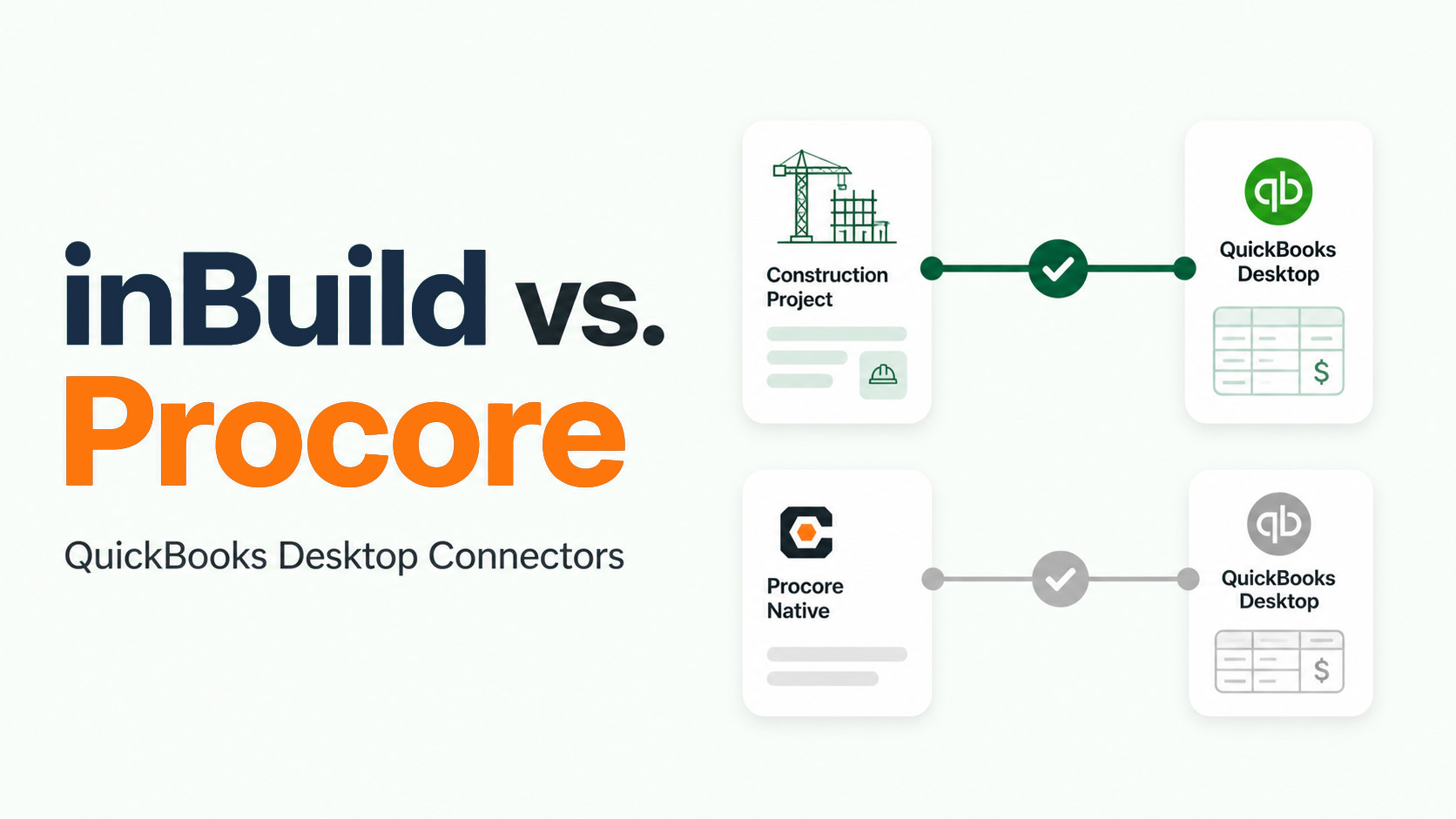
Connecting Procore with QuickBooks Desktop should eliminate duplicate entry and keep project teams aligned with accounting. But not every connector handles construction financial data with the same level of detail.
Procore’s native QuickBooks Desktop connector covers several essential workflows. It can move projects, vendors, budgets, commitments, change orders, subcontractor invoices, payments, and job-cost information between the two systems.
For contractors with more complex Work Breakdown Structures, direct costs, or high invoice volumes, however, the native connector’s limitations can lead to manual workarounds. inBuild provides a broader construction payables and accounting workflow designed to address those gaps.
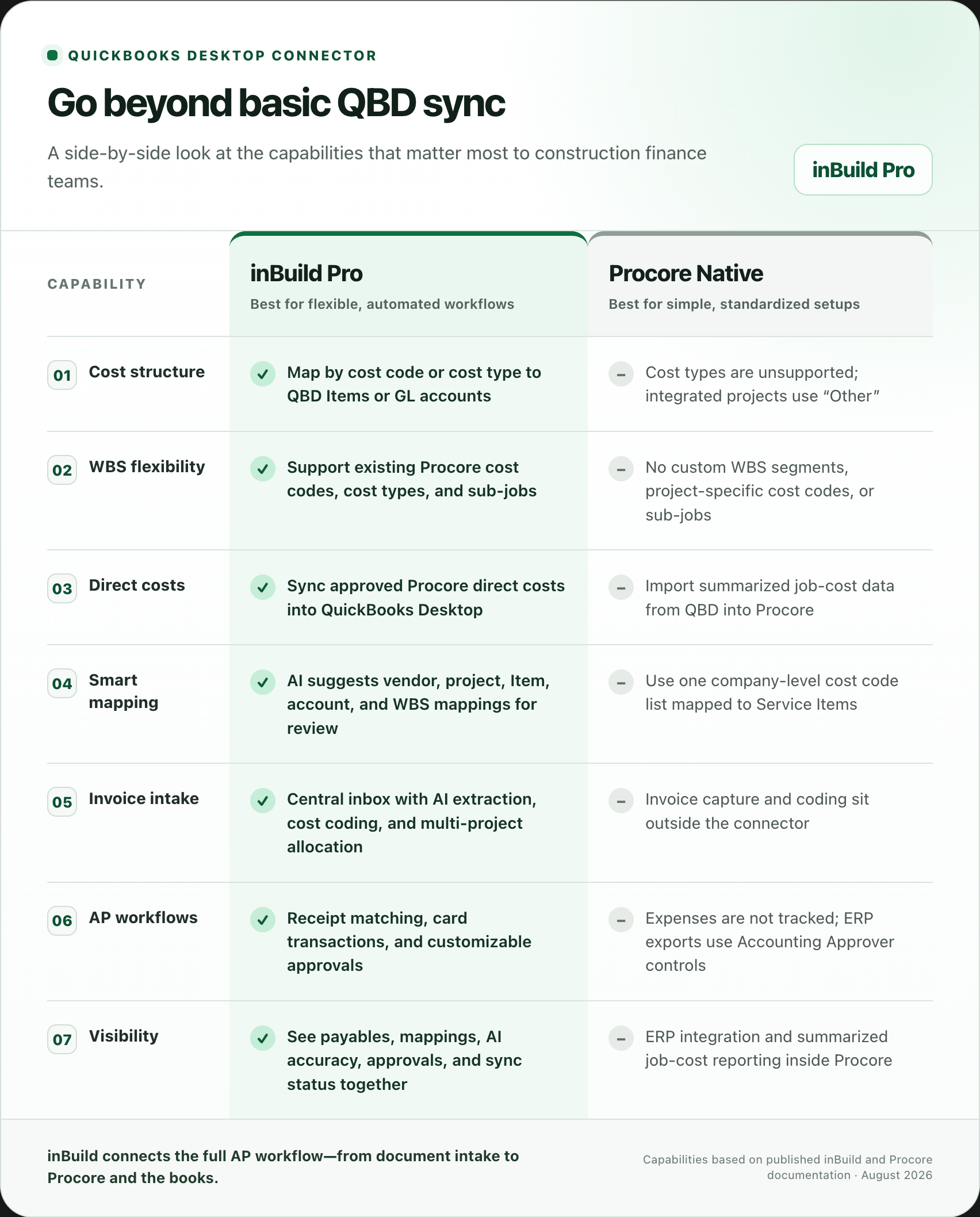
Quick comparison
1. Preserve meaningful cost-type detail
Cost types help contractors understand the nature of a project expense. A concrete cost code, for example, may include separate Labor, Materials, Equipment, and Subcontract costs.
That distinction is important for forecasting and margin analysis. Unfortunately, Procore’s native QBD integration does not support the cost-type concept. According to Procore’s documentation, QuickBooks Desktop-integrated projects display a single cost type of “Other,” which is only a placeholder inside Procore and is not transferred to QBD. Procore’s cost-type documentation
inBuild gives companies more control over this translation. A company can select cost code or cost type as its line-item mapping level and connect that Procore segment to the appropriate QuickBooks Desktop Item or GL account. This allows Labor, Materials, and other meaningful categories to reach accounting without forcing every transaction into “Other.”
inBuild’s AI can suggest these mappings, but a controller still reviews and publishes them before a bill can move. Published mappings are not silently overwritten, preserving human control over the books. See how inBuild’s AI-assisted mapping works
2. Work with the WBS you already use
Contractors should not have to redesign their project structure simply to accommodate an accounting connector.
Procore documents several WBS restrictions for its native QuickBooks Desktop integration:
- Custom WBS segments are not supported.
- Sub-jobs are disabled for integrated projects.
- Project-specific cost code lists are not supported.
- All integrated projects must use one company-level QuickBooks Standard Cost Code list.
- Cost codes can only connect to QuickBooks Desktop Items designated as “Service” items.
These restrictions can be manageable for a contractor with a simple, standardized cost structure. They become more challenging when different projects require different codes or when the company already relies on sub-jobs and granular WBS reporting. Review Procore’s documented QBD limitations
inBuild is designed to support existing Procore WBS structures, including cost codes, cost types, and sub-jobs. That helps project teams continue managing work in Procore while accounting receives data in the structure selected for QuickBooks Desktop. Learn about inBuild’s QBD connector
3. Move direct costs from Procore into QuickBooks Desktop
Direct costs include expenses such as material purchases, permits, equipment rentals, fuel, and field purchases that are not tied to a subcontract or purchase order.
Procore’s native QBD connector can retrieve certain job costs from QuickBooks Desktop, but the workflow is restrictive. Transactions must use synchronized Service Items, transaction detail is not displayed in Procore, and expenses entered in QuickBooks Desktop are not picked up by the integration. The connector’s budget-level direct-cost figure is calculated from summarized job-cost information rather than synchronizing each direct-cost record from Procore into QBD.
inBuild supports the opposite operational workflow: an approved direct cost in Procore can flow into QuickBooks Desktop without accounting re-entering it. That is particularly valuable when project teams originate and approve costs in Procore but QuickBooks remains the accounting system of record.
The result is a cleaner path:
- The cost or receipt enters inBuild.
- The document is extracted and cost-coded.
- The appropriate reviewers approve it.
- inBuild creates the direct cost in Procore and the corresponding accounting transaction in QuickBooks Desktop.
This reduces the shared spreadsheets, email tags, and “entered in Procore/entered in QuickBooks” checklists that often develop around direct-cost processing.
4. Automate the work that happens before the sync
A connector only moves structured data. Someone still has to turn incoming documents into that structured data.
inBuild adds an AI-powered payables workflow in front of the accounting sync. Invoices can enter through connected AP inboxes, direct uploads, Procore, or mobile receipt submissions. The system can then extract and suggest:
- Vendor
- Project
- Invoice number and dates
- Commitment
- Cost codes
- Line-item information
- Allocations across multiple projects
The accounting or project team reviews the suggested information and makes any necessary changes before approval. Instead of typing every field, the team manages exceptions.
inBuild also provides visibility into AI accuracy and processing performance, helping finance leaders see how many documents were completed without corrections and where manual work remains. These invoice-processing capabilities are available through inBuild’s listing in the Procore App Marketplace.
Procore’s native QBD connector does not attempt to solve invoice capture or cost coding. Its purpose is moving approved ERP data, not automating the payables workflow that creates it.
5. Reduce the burden of initial and ongoing mapping
Procore and QuickBooks Desktop describe construction data differently:
- A Procore company becomes a QBD vendor.
- A Procore project becomes a QBD customer or job.
- A Procore WBS segment may become an Item or GL account.
- A Procore invoice becomes a QBD bill.
Building and maintaining those relationships manually becomes difficult when a contractor has hundreds of vendors, projects, cost codes, Items, and accounts.
inBuild uses AI to compare the two systems and suggest likely mappings. Reviewers can sort suggestions by confidence, approve the correct matches, or select a different destination. Missing mappings are surfaced before synchronization instead of appearing later as an ambiguous posting failure.
This is not fully autonomous accounting. The human publication gate remains in place before financial data moves. The advantage is that the system prepares the mapping work for review and makes incomplete relationships visible sooner.
6. Add a complete receipt and company-card workflow
For contractors managing company cards, the integration problem begins long before a transaction reaches QuickBooks.
A typical manual process involves collecting receipts from the field, matching them to card transactions, determining the correct project and cost code, entering the direct cost in Procore, and entering the expense in QuickBooks Desktop.
With inBuild’s optional receipt-tracking capabilities, field staff can upload receipts from a mobile device while the finance team reviews company-card transactions centrally. Receipts can be matched to transactions, cost-coded, approved, and synchronized into the appropriate downstream systems.
This turns receipt collection and direct-cost entry into one connected workflow instead of several disconnected tasks.
When does Procore’s native connector make sense?
Procore’s native QuickBooks Desktop connector may still be the right fit when:
- Every project can use the same company-level cost code list.
- Using “Other” as the only Procore cost type is acceptable.
- The company does not use sub-jobs or custom WBS segments.
- Direct costs and credit-card expenses are handled through a separate process.
- The team only needs core ERP synchronization.
- Accounting is comfortable managing exports through Procore’s Accounting Approver and QuickBooks Web Connector workflow.
For a relatively simple accounting structure, staying within Procore may mean fewer systems to administer.
When is inBuild the stronger option?
inBuild becomes more compelling when a contractor needs to:
- Preserve meaningful cost-type or WBS detail.
- Use sub-jobs or more flexible project structures.
- Sync direct costs from Procore into QuickBooks Desktop.
- Map Procore data to QBD Items or GL accounts.
- Automate invoice extraction and cost coding.
- Manage receipts and card transactions.
- Add enforceable approval workflows for direct costs.
- Reduce mapping work without giving up accounting oversight.
- See invoice, approval, and synchronization status in one place.
The bottom line
Procore’s native QuickBooks Desktop connector is a capable data bridge for contractors with straightforward accounting requirements. Its narrower data model, however, can force more complex construction companies to flatten cost information or build manual processes around direct costs, receipts, mapping, and invoice entry.
inBuild expands the workflow beyond synchronization. It connects document intake, AI-assisted coding, human review, approvals, Procore financials, and QuickBooks Desktop accounting in one process.
For contractors trying to eliminate dual entry while preserving the way they actually manage project costs, that broader workflow is the primary advantage.
Ready to compare the two options using your own WBS and accounting structure? Book an inBuild demo or explore the available 14-day trial.