Free Procore SOV Import Tool
Upload your estimate and get a Procore-ready CSV import file in seconds.
Free tool by inBuild — no account required. Skip the manual reformatting.

How it works
Three steps to a Procore SOV import. No account needed and no more reformatting by hand.
Step 01
Upload your estimate
Bring in your existing Schedule of Values from Excel, an AIA G703 form, or any estimating tool export. Upload as a PDF, Image, HTML, or CSV.
Step 02
Download and Map
Download your processed CSV with the description, quantity, price, and total amount. Optional sub job and tax code columns can be enabled. Fill in your cost code and cost types in the downloaded CSV.
Step 03
Import the SOV
Import it directly into the Commitments tool in Procore using the "Import SOV from CSV" button. No reformatting needed.



A little automation goes a long way
Procore’s commitment schedule of values import requires an exact CSV format — specific column order, exact cost code names, no extra columns. If your SOV lives in a PDF AIA form, or an estimating tool, you have to reformat everything before Procore will accept it. Let us handle that for you.
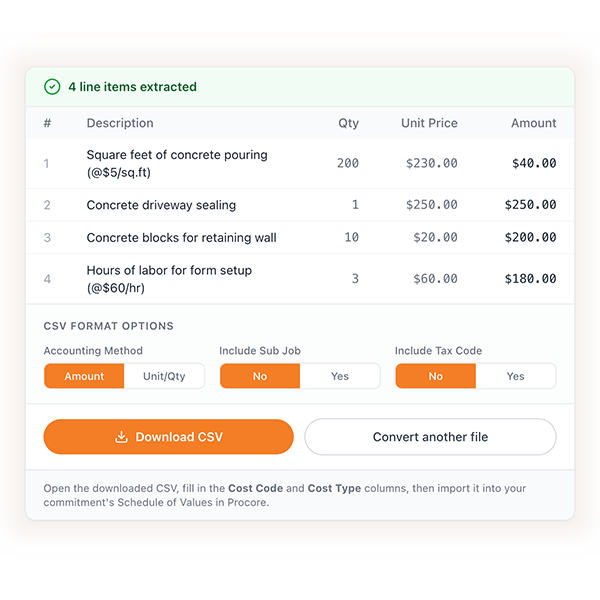
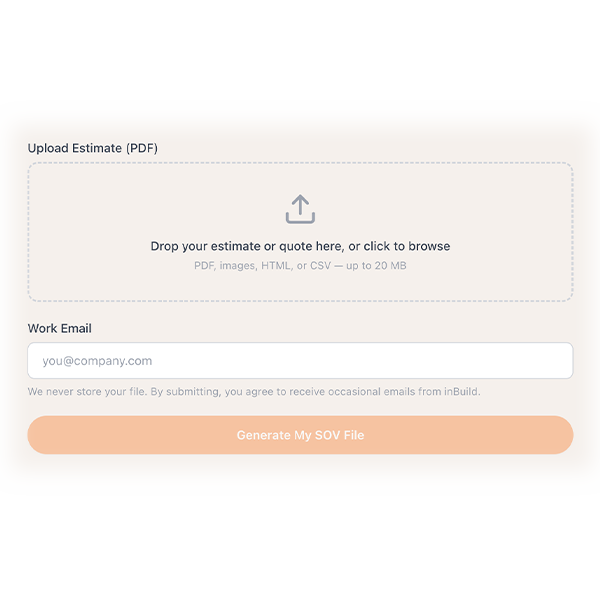
Convert any estimate in seconds
Upload your existing SOV from Excel, PDF, or any estimating tool then download a ready-to-import CSV. Add your cost codes and import using Procore's "Import SOV from CSV" button. No copy-pasting line by line. No reformatting.

"Before inBuild, invoices would arrive in batches of 50+ and take me hours to manually enter into Procore. ... My data-entry time has dropped by about 80%, I no longer dread checking my inbox for new invoices ... I couldn’t be happier!”



Procore requires a comma-separated CSV file with a specific column structure. Required fields include Cost Code, Cost Type, Description, and either Amount (amount-based) or Quantity, Unit Description, and Unit Price (unit-based). You can also add the optional columns for Sub Job and Tax Code. Column headers match Procore’s required template exactly.
By default, no. Procore requires the contract to be in Draft status before importing SOV line items. However, if your Procore admin has enabled the “Always Editable Schedule of Values” setting, you can import at any contract status with one exception: you cannot replace invoiced line items.
Procore will reject any line item where the Cost Code Name or Cost Code Number doesn’t exactly match the codes in your project’s Project Admin tool — including spacing and capitalization. Make sure your cost codes are set up in Procore before importing.
Yes. Procore supports SOV imports for Prime Contracts, Subcontracts (purchase orders and work orders), Client Contracts, and Funding tools. The CSV format is slightly different for each — this tool generates the correct template for subcontracts specifically.
Yes. The Procore SOV Import Tool is completely free, built and maintained by inBuild.
Go to sov2procore.com, upload your estimate, enter your email, and let the AI process your document.
Procore SOV imports ready faster
Upload your estimate and download a Procore-ready CSV in seconds. Free, no account needed.