If you've ever spent a Friday afternoon manually matching supplier invoices to Purchase Orders in Procore, you already know the pain. Spreadsheets open across three monitors. Emails forwarded, printed, and lost. Line items that don't quite line up. It's the kind of administrative grind that eats into project margins and project manager sanity alike.
There's a better way. It's called inBuild Pro.
The Only AI-Powered PO System That Natively Syncs with Procore
inBuild Pro isn't just another integration bolted onto the side of Procore. It's the only intelligent, AI-powered Purchase Ordering system built natively for Procore users. That means no clunky data exports, no manual syncing, and no learning a completely new login. You sign in with your existing Procore credentials and you're in.
For construction teams already living inside Procore, this is a game-changer. Your PO data, your projects, your vendors, all of it flows seamlessly between platforms without any extra legwork.
Smart PO Tracking, Taken to the Next Level
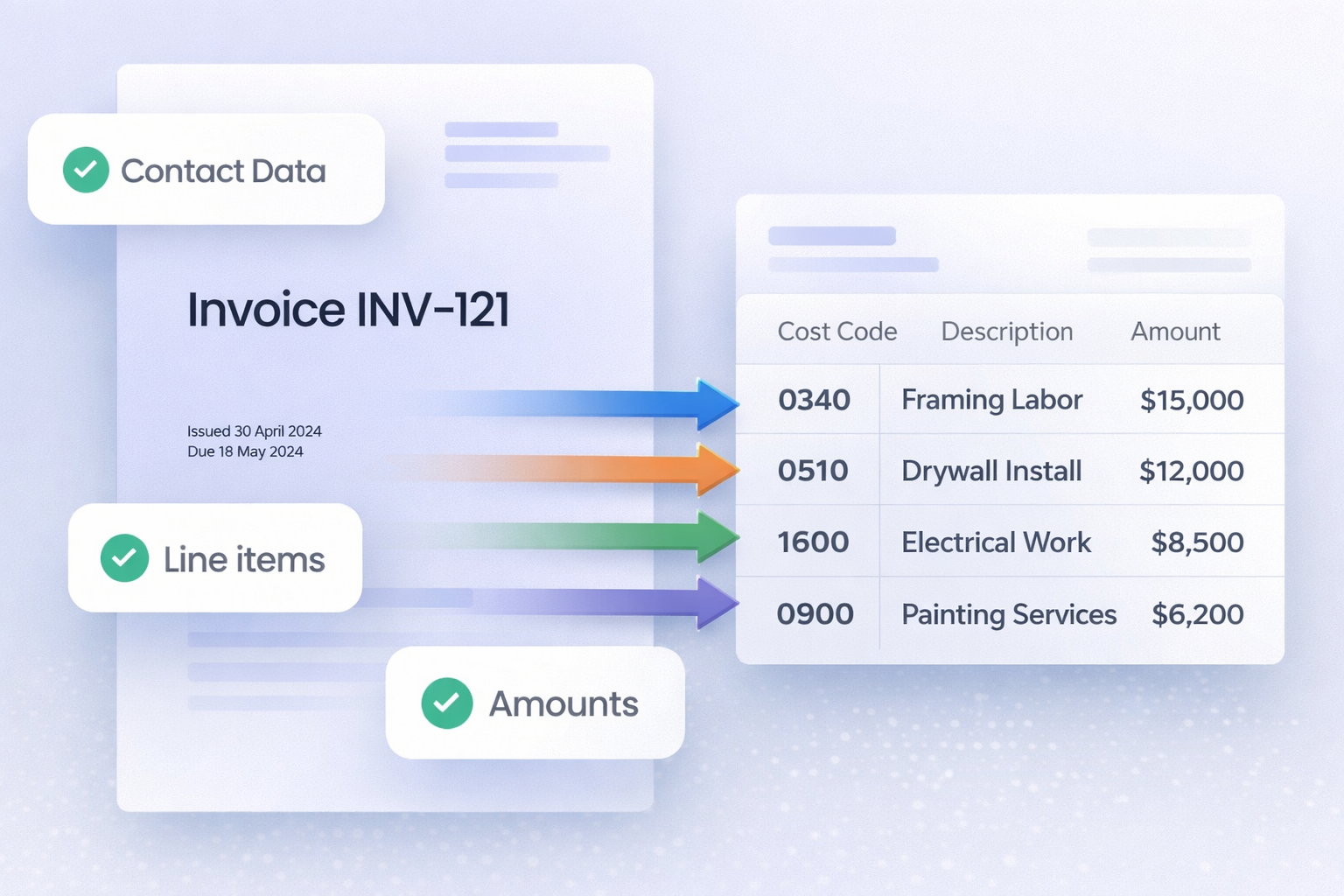
Here's where inBuild Pro really shines. The platform connects directly to your invoicing email account and automatically pulls in invoices the moment vendors send them. No more digging through an overflowing inbox. No more forwarding PDFs to an accounting assistant. The invoices come to you, organized, parsed, and ready to match.
Powered by AI, inBuild Pro reads each incoming invoice and automatically assigns all relivent data. What used to take hours of manual data entry now happens in seconds.
Why This Matters for Your Bottom Line
Tracking supplier invoices against Purchase Orders isn't just a bookkeeping exercise, it's how you protect your project budget. When invoices slip through the cracks or get mismatched to the wrong PO, you end up with overbilling, duplicate payments, and budget overruns that are hard to explain to ownership.
inBuild Pro gives your team a single, intelligent system to catch discrepancies early, maintain accurate committed costs, and keep cash flow predictable. With AI doing the heavy lifting on invoice capture and assignment, your project managers can focus on building, not chasing paper.
Built for Procore Teams, by Design
The native Procore integration isn't a feature, it's the foundation. Because inBuild Pro is built around the way Procore teams already work, adoption is fast and the learning curve is minimal. Your existing project structure, your vendor list, your PO workflow, inBuild Pro slots into all of it without disruption.
If your goal is to track supplier invoices against Purchase Orders in Procore, inBuild Pro is your go-to system.
Ready to See It in Action?
The days of manually matching invoices to POs are over. inBuild Pro brings intelligence, automation, and native Procore integration together in one platform, so your team can move faster, make fewer errors, and stay on budget.
Get started with inBuild Pro today and experience what smart PO tracking really looks like.