If you have ever used Bill.com, you already understand the idea behind inBuild.
Bill.com gave accounting teams one place to receive invoices, code bills, collect approvals, make payments, and sync everything with their accounting software. It took a process that lived in email, spreadsheets, and filing cabinets and turned it into a simple workflow.
inBuild does the same thing for construction companies using Procore.
The difference is that construction invoices are more complicated than normal bills.
An invoice does not just need a vendor, invoice number, amount, and due date. It needs a project. It might need a purchase order or subcontract. It needs the right cost code, cost type, billing period, and schedule of values line. It also needs to reach the person who can confirm that the work was actually completed.
That is where inBuild comes in.
The problem is everything between the invoice and Procore
Most construction companies already have the important systems in place.
Procore manages the projects, budgets, commitments, and job costs. QuickBooks or another accounting system manages the general ledger and the company books.
But there is still a lot of work required to move an invoice through those systems.
An invoice comes into an email inbox. Someone downloads it, figures out which project it belongs to, finds the vendor in Procore, looks for the correct commitment, enters the line items, and sends it to the project manager for approval.
Then they wait.
If something is wrong, a new email thread starts. If the project manager forgets to respond, accounting has to follow up. Once the invoice is approved, someone may have to enter the same information into QuickBooks.
The software is there, but the process between the systems is still manual.
inBuild fills that gap.
One place for every invoice
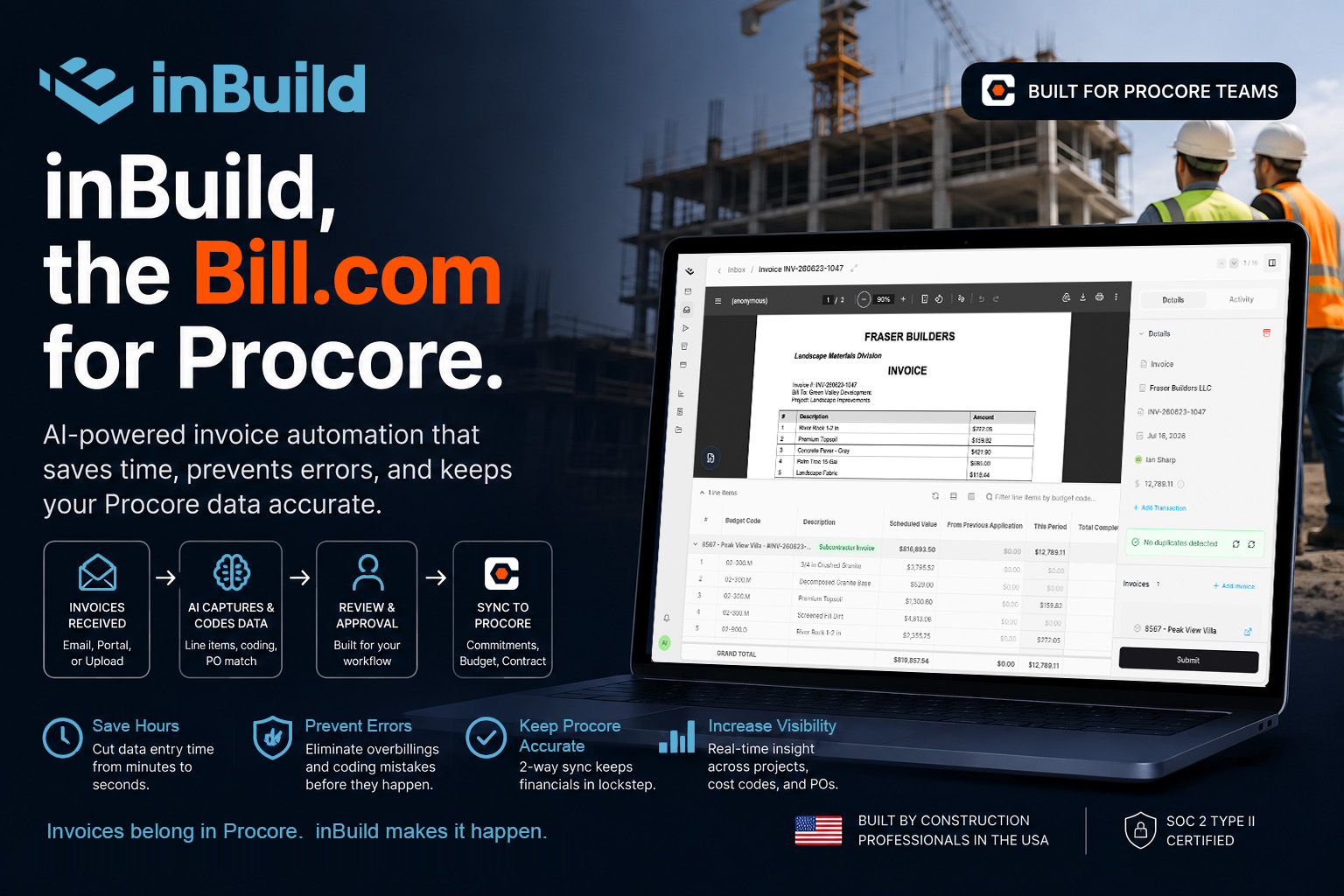
inBuild gives your team one inbox for invoices, receipts, and other payable documents.
Vendors can send invoices by email. Project managers can upload documents from the field. Accounting can see everything in one place instead of searching through individual inboxes or trying to figure out who received what.
When an invoice arrives, inBuild reads it and uses the data already in Procore to help identify the project, vendor, commitment, and cost code.
Your team reviews the information, makes any changes, and sends the invoice through the approval process.
Once it is approved, inBuild syncs it into Procore. If you use the QuickBooks integration, it can also flow into your accounting system.
The goal is simple. Enter the information once, review it, approve it, and let the systems stay in sync.
Built around the way contractors work
This is where the Bill.com comparison really makes sense.
Bill.com understands a normal accounts payable workflow. inBuild understands a construction accounts payable workflow.
It knows that the same vendor may work across several projects. It knows that an invoice may need to be applied against a purchase order or subcontract. It knows the difference between a commitment invoice and a direct cost. It works with the projects, vendors, budgets, commitments, and cost codes that already exist in Procore.
That context matters.
A general accounts payable tool can read the amount on an invoice. A construction accounts payable tool needs to understand where that amount belongs inside the project.
Without that connection, accounting still has to do the hard part manually.
Approvals without the constant follow up
Approvals are another big part of the process.
Every contractor handles them differently. Some invoices go to a project manager. Larger invoices may also need approval from an executive. Direct costs may follow a different process than subcontractor invoices.
inBuild lets companies create approval workflows that match how their teams already operate. Invoices can be routed based on the project, amount, cost code, or type of cost.
Everyone can see where an invoice is in the process. Comments stay with the invoice. Accounting knows who needs to take action without digging through email threads.
It is a small change that makes a big difference, especially when you are processing hundreds of invoices every month.
Procore stays at the center
inBuild is not trying to replace Procore.
Procore should remain the source of truth for your project financials. That is where your budgets, commitments, changes, and job costs belong.
inBuild simply makes it easier to get accurate information into Procore.
It handles the work that happens before an invoice becomes a clean financial record. It receives the document, helps code it, routes it for approval, and syncs it to the systems that need it.
Procore manages the project. QuickBooks manages the books. inBuild manages the accounts payable process between them.
Why this matters
Manual invoice entry is annoying, but wasted time is only part of the problem.
When invoices sit in inboxes, project budgets are not current. When coding is rushed, costs end up in the wrong place. When approvals happen through scattered emails and text messages, nobody has a clear view of what is still outstanding.
Those problems make it harder to understand what a project actually costs.
inBuild gives accounting and operations one shared process. Accounting gets cleaner data and better visibility. Project managers can review costs without becoming data entry clerks. Leadership gets a more accurate picture of payables across the company.
Most importantly, fewer invoices fall through the cracks.
The Bill.com experience, built for Procore
Bill.com showed businesses that accounts payable could be much easier.
inBuild is bringing that same experience to construction.
It gives Procore users one place to receive, code, review, approve, and sync invoices. It understands the financial structure behind every project, so your team spends less time moving information between systems and more time using that information to make decisions.
That is why we call inBuild the Bill.com for Procore.
It is accounts payable automation built around the way contractors actually work.
Ready to see it in action? Learn more about inBuild.